

See the real product, screen by screen
These are real screens from inside Polaris, not mockups. Here is every feature with a quick look at how it works.
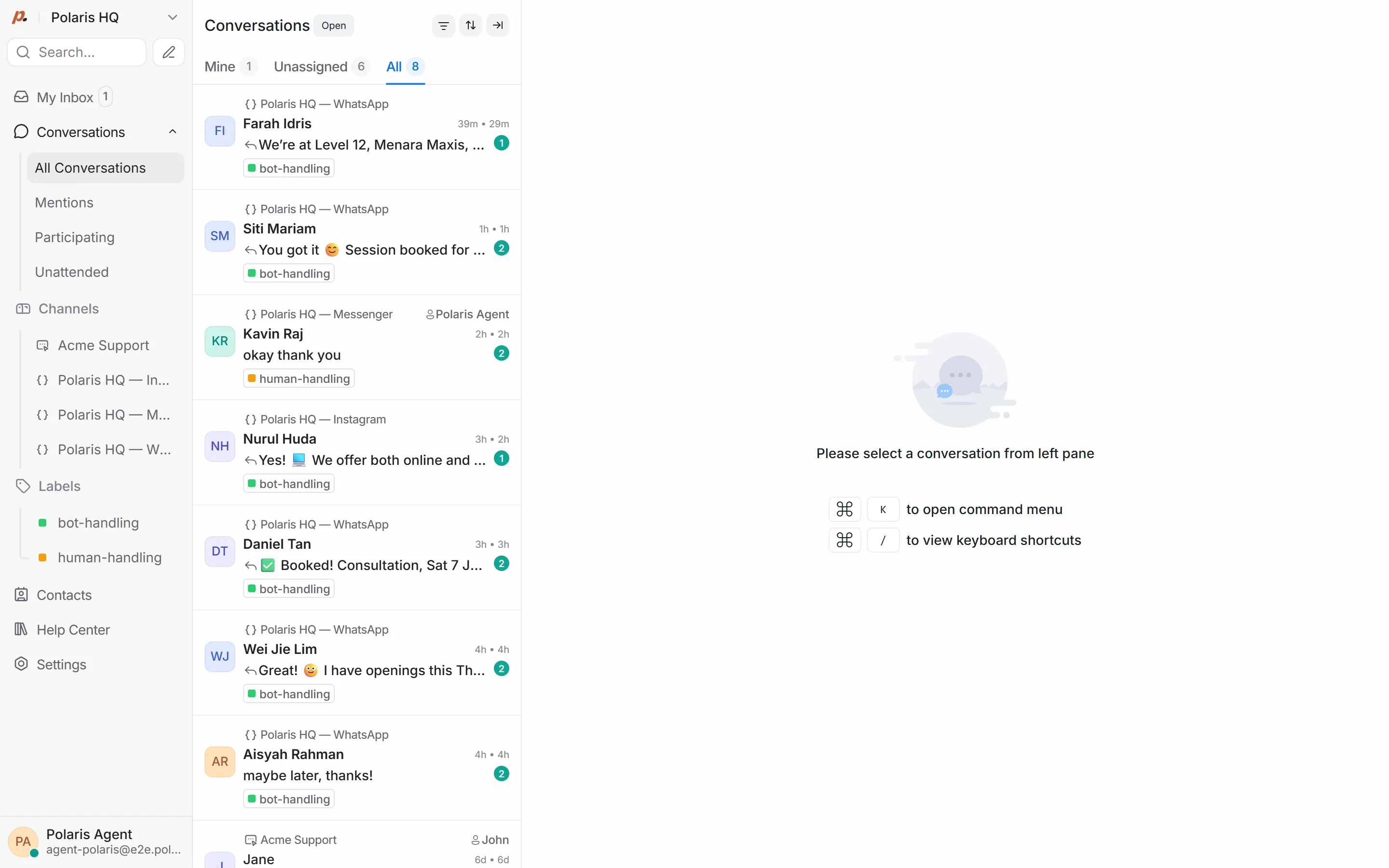
Your whole team in one shared inbox
WhatsApp, Instagram and Messenger all land in one inbox. The AI replies first. When a chat needs a person, it gets tagged and handed straight to your team, so nothing slips through.
- WhatsApp, Instagram & Messenger together
- AI-first, human takes over anytime
- bot-handling / human-handling labels
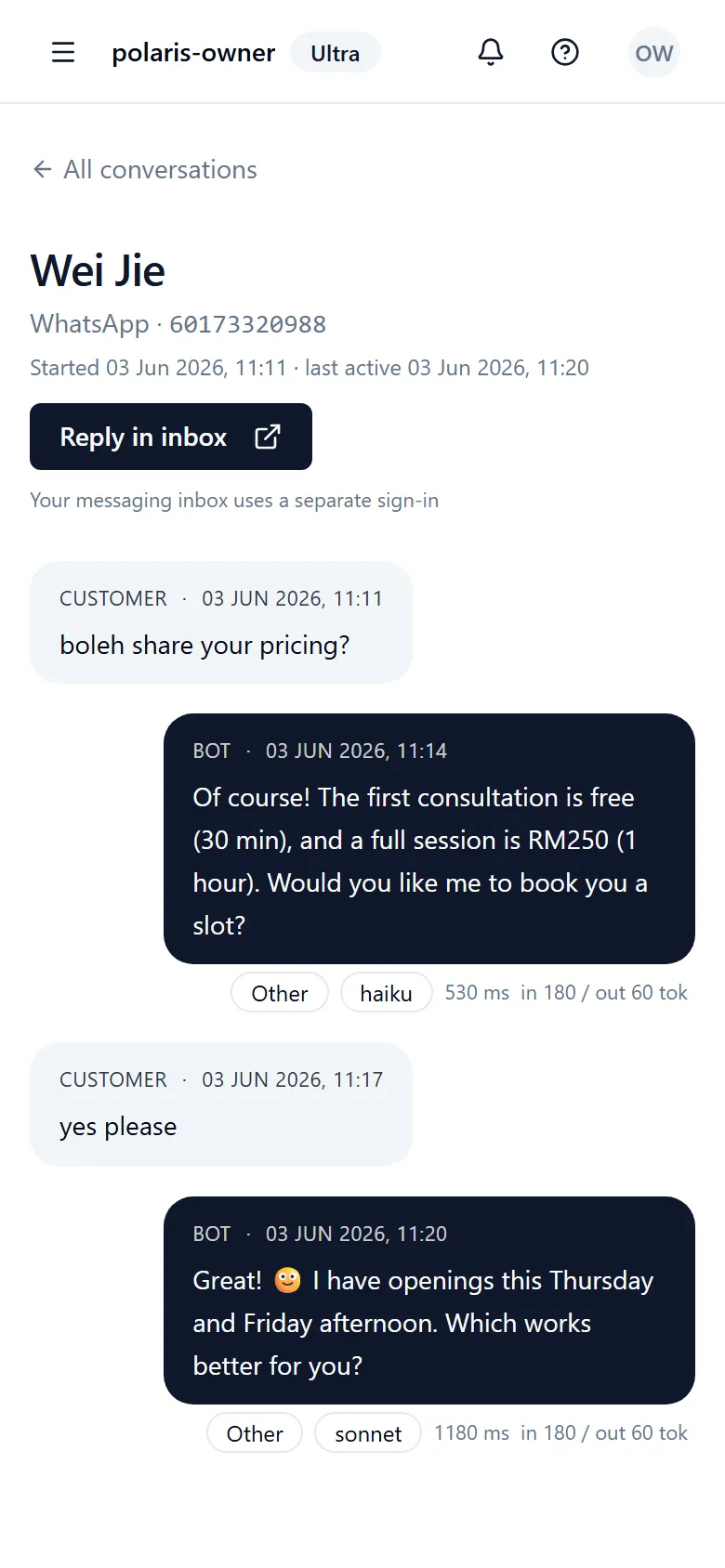
Answers your customers in seconds
The AI reads each message, works out what the customer wants, and replies in their language, day or night. You can see every reply and the model that handled it.
- 24/7 replies in seconds
- Understands Malay, English and more
- Every reply logged and reviewable
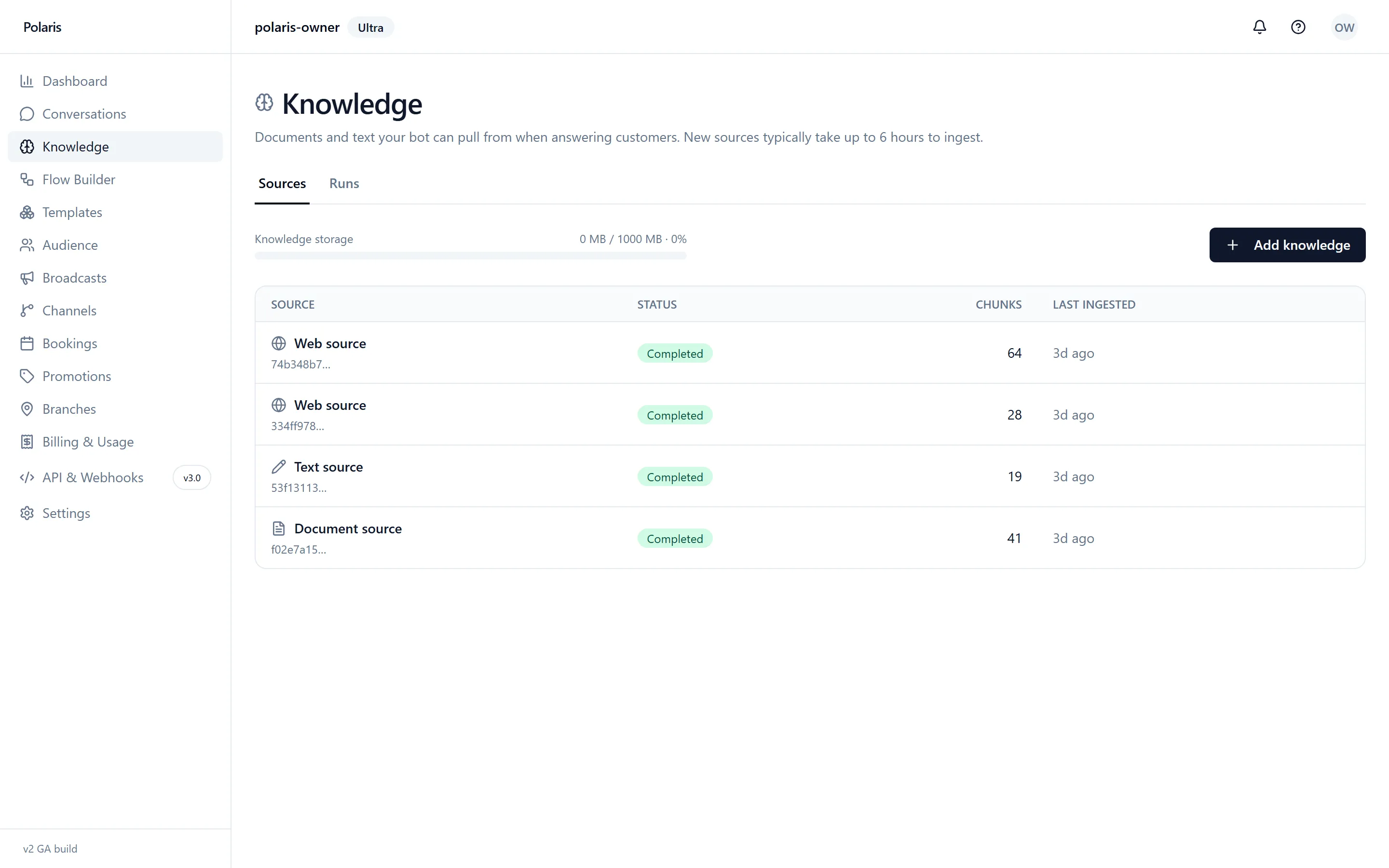
Answers from your business, not made up
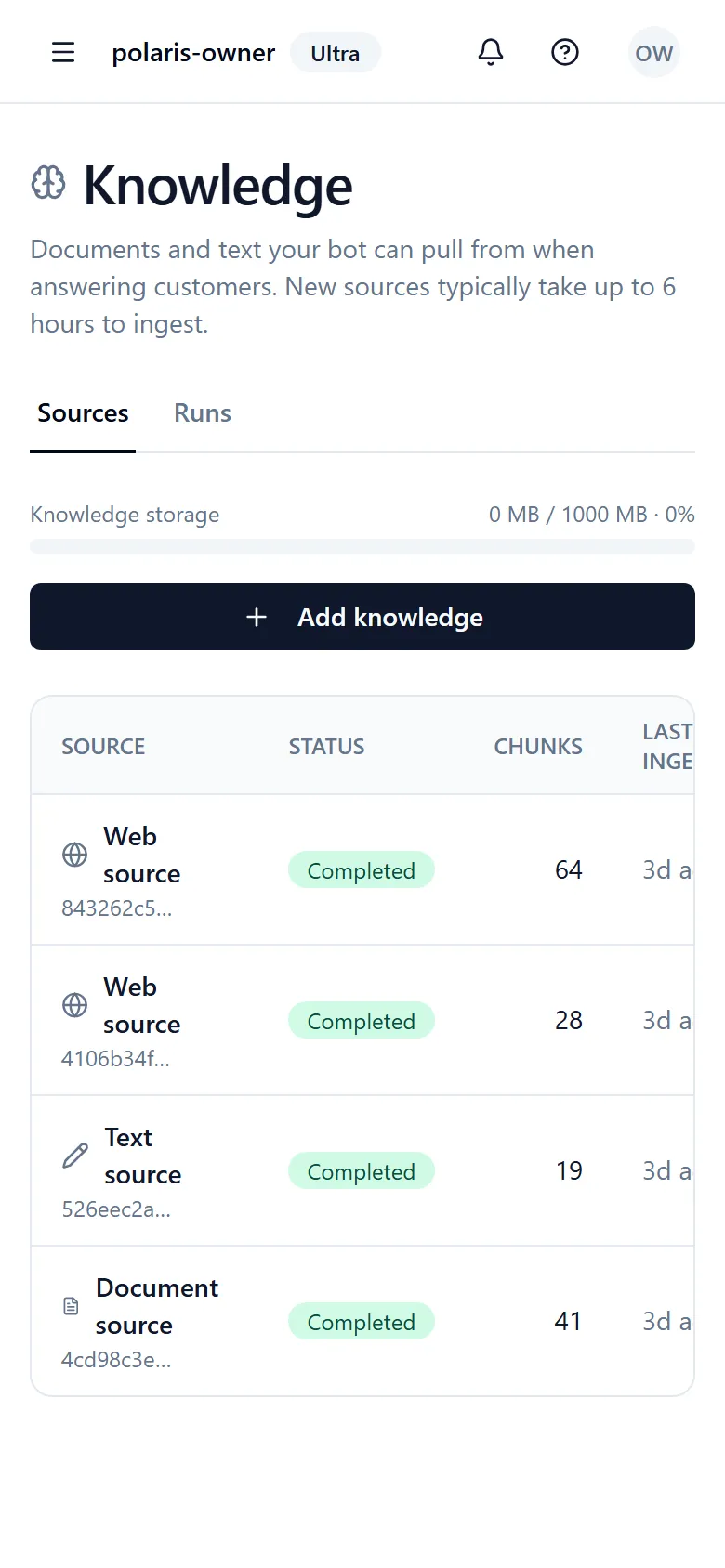
Add your website, a PDF or plain text. Polaris answers only from what you teach it, so replies stay accurate and on brand. New sources ingest automatically.
- Website, PDF and free-text sources
- Answers grounded in your content
- Updates ingest automatically
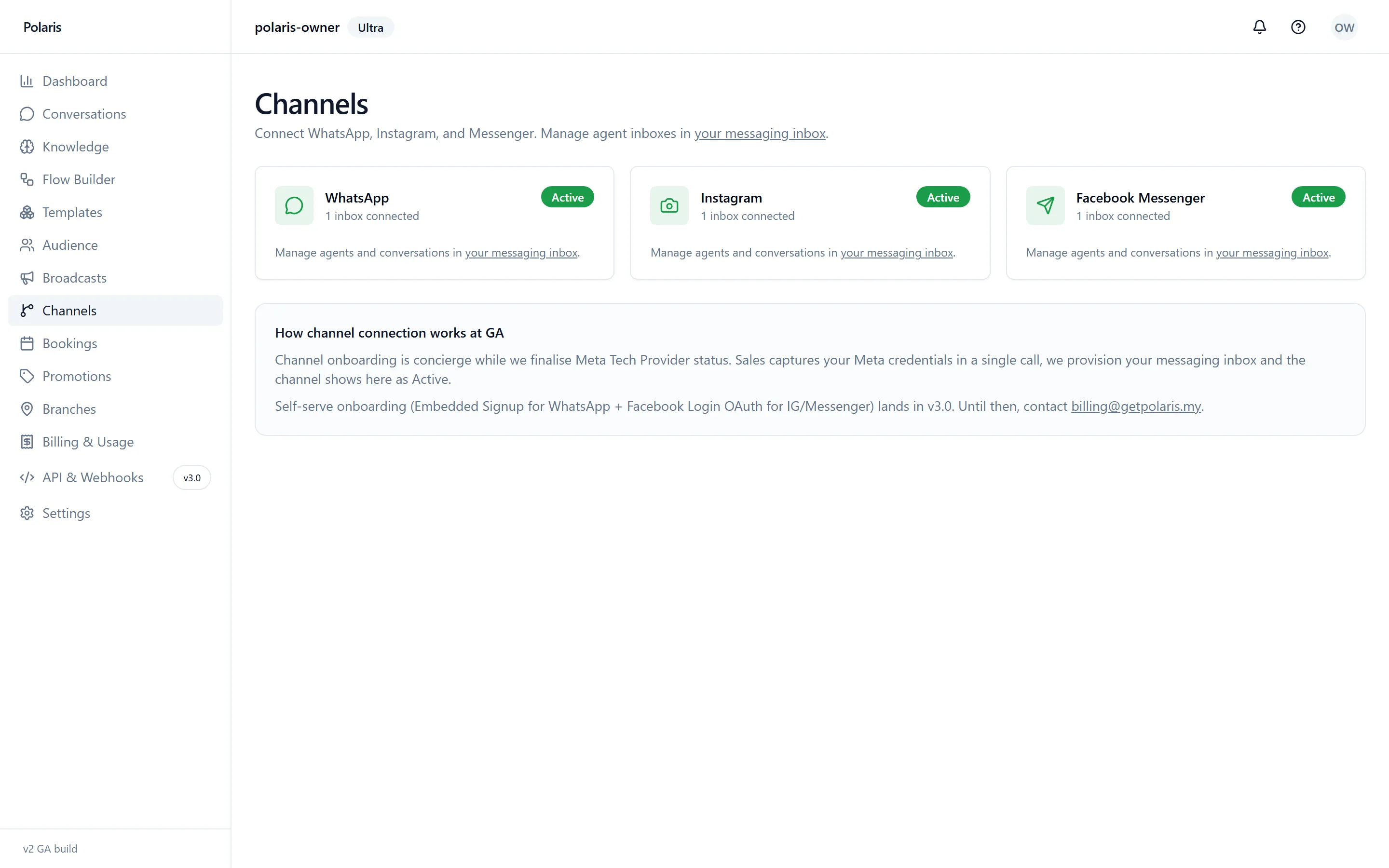
WhatsApp, Instagram and Messenger, connected
Connect each channel once and Polaris handles the rest. Every channel shows its live status so you know you are online.
- Three channels, one place
- Live connection status
- Concierge onboarding
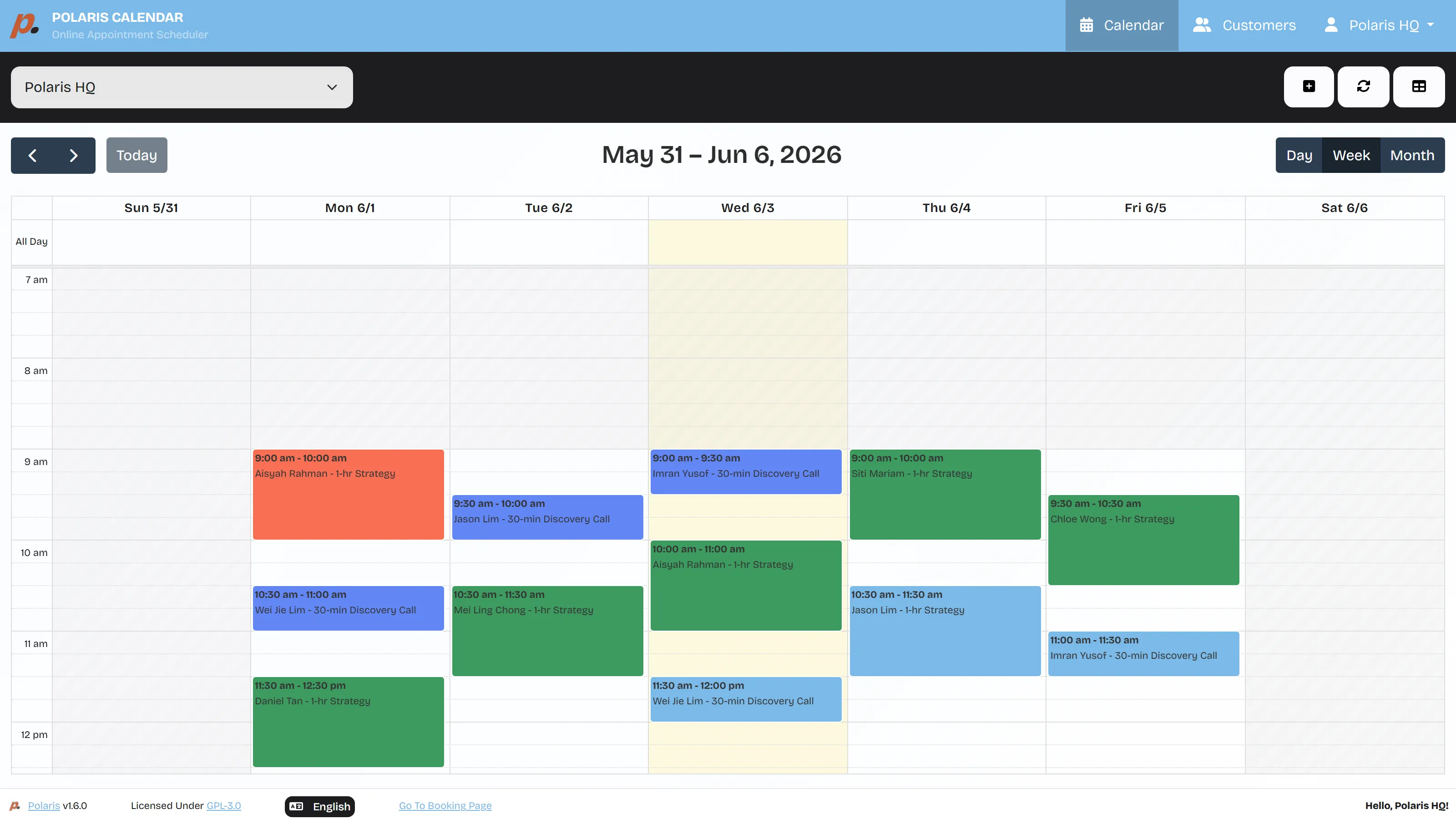
A calendar that fills itself
Customers book appointments in chat or on your booking page. Every booking lands on one shared calendar, and the AI sends confirmations, reminders and reschedules.
- Book in chat or on your page
- One calendar for the whole team
- Automatic reminders and reschedules
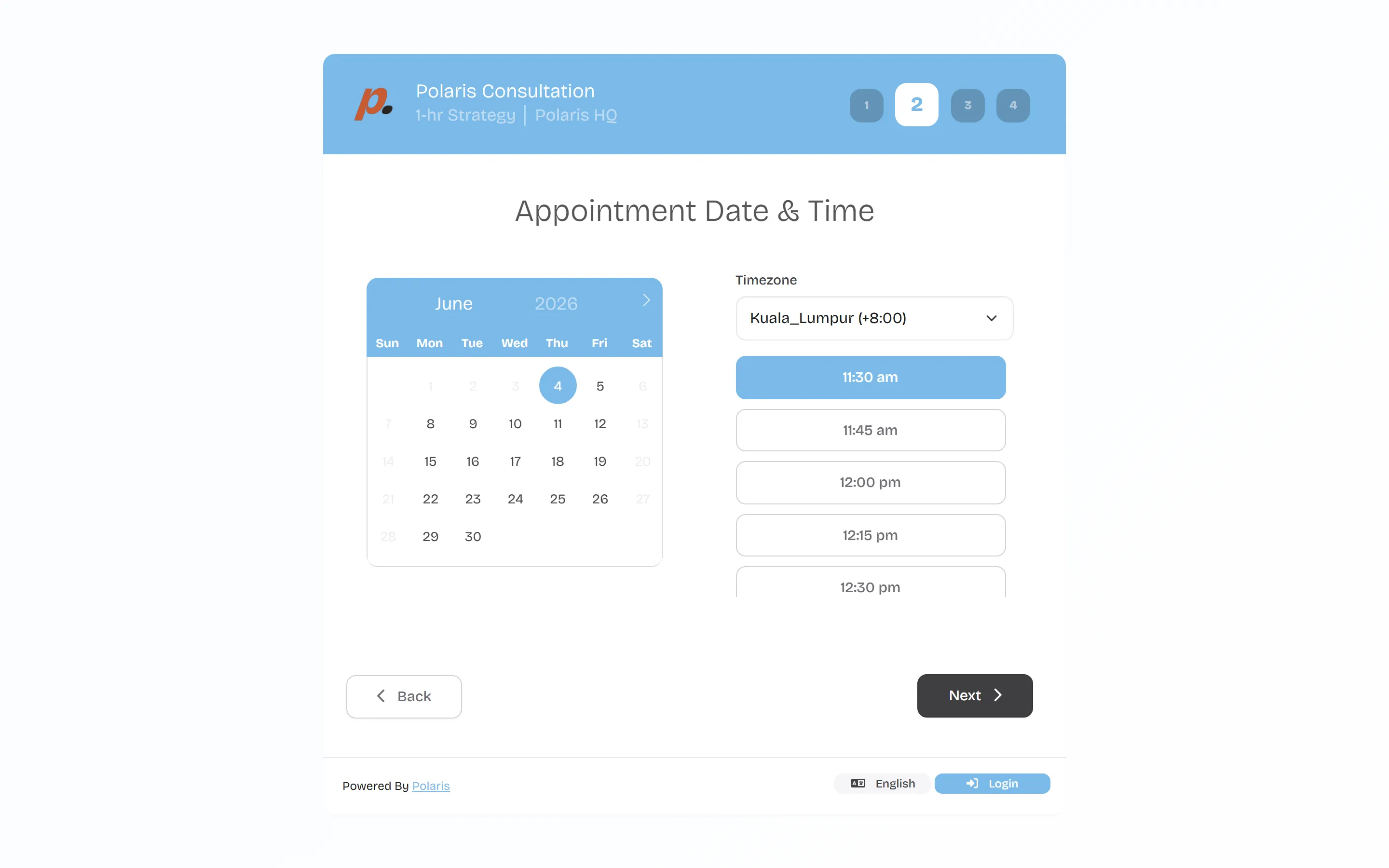
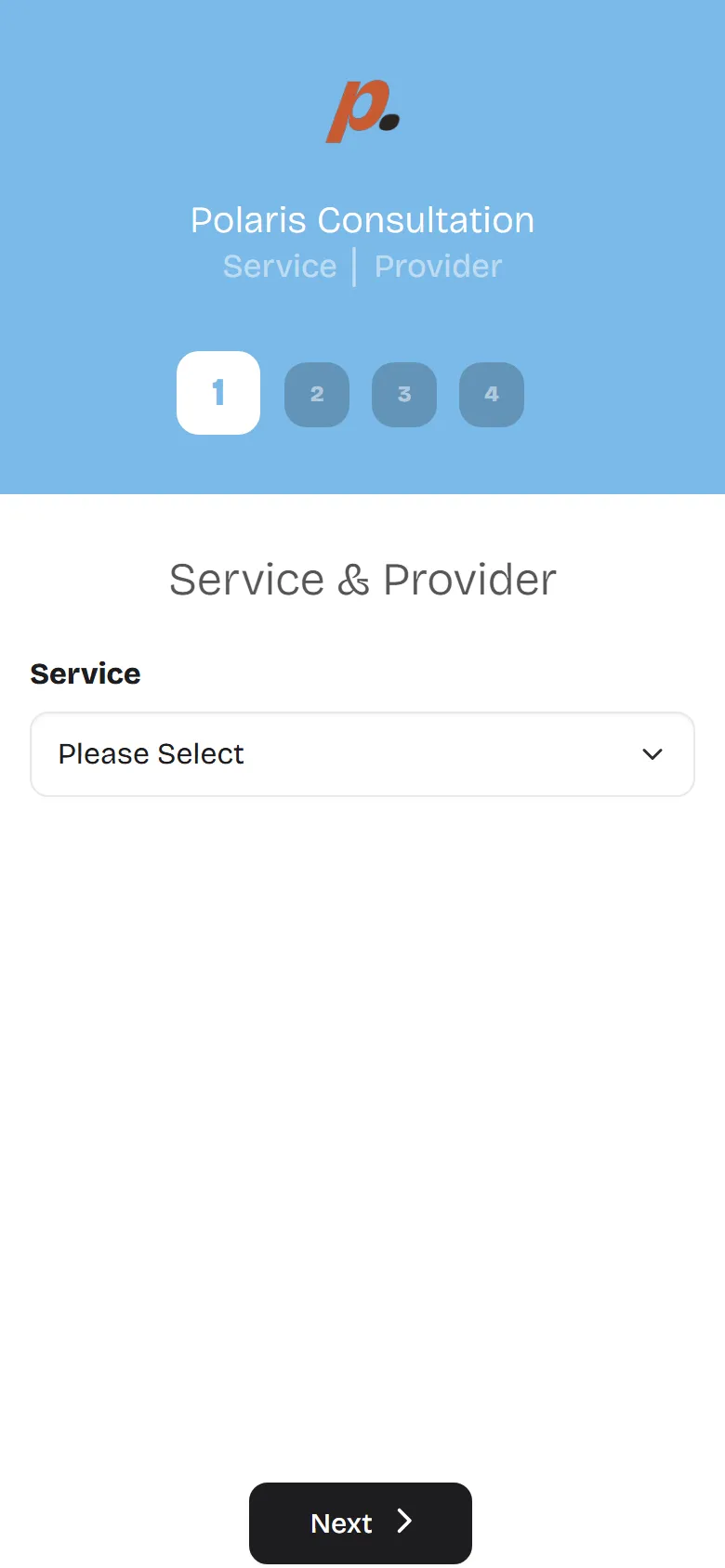
Your own branded booking page
Share one link. Customers pick a service, a date and a time that suits them, and the slot is held instantly. No back-and-forth, no double bookings.
- Pick service, date and time
- Online or in-person
- Branded to your business
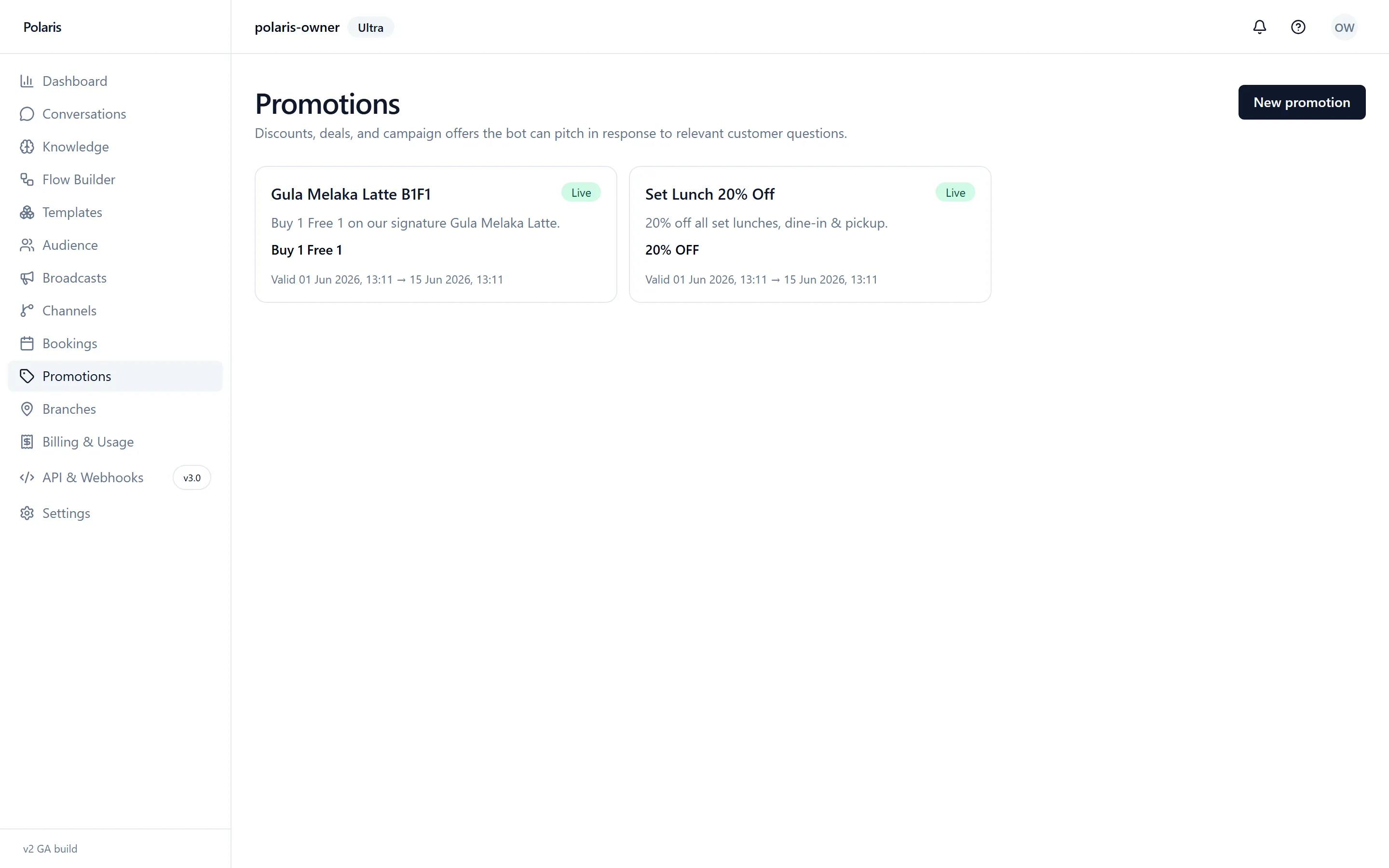
Promos the AI pitches at the right moment
Set up your offers once. When a customer asks something relevant, the AI brings up the right promo in the conversation, naturally.
- Set offers once
- AI pitches them in context
- Start and end dates
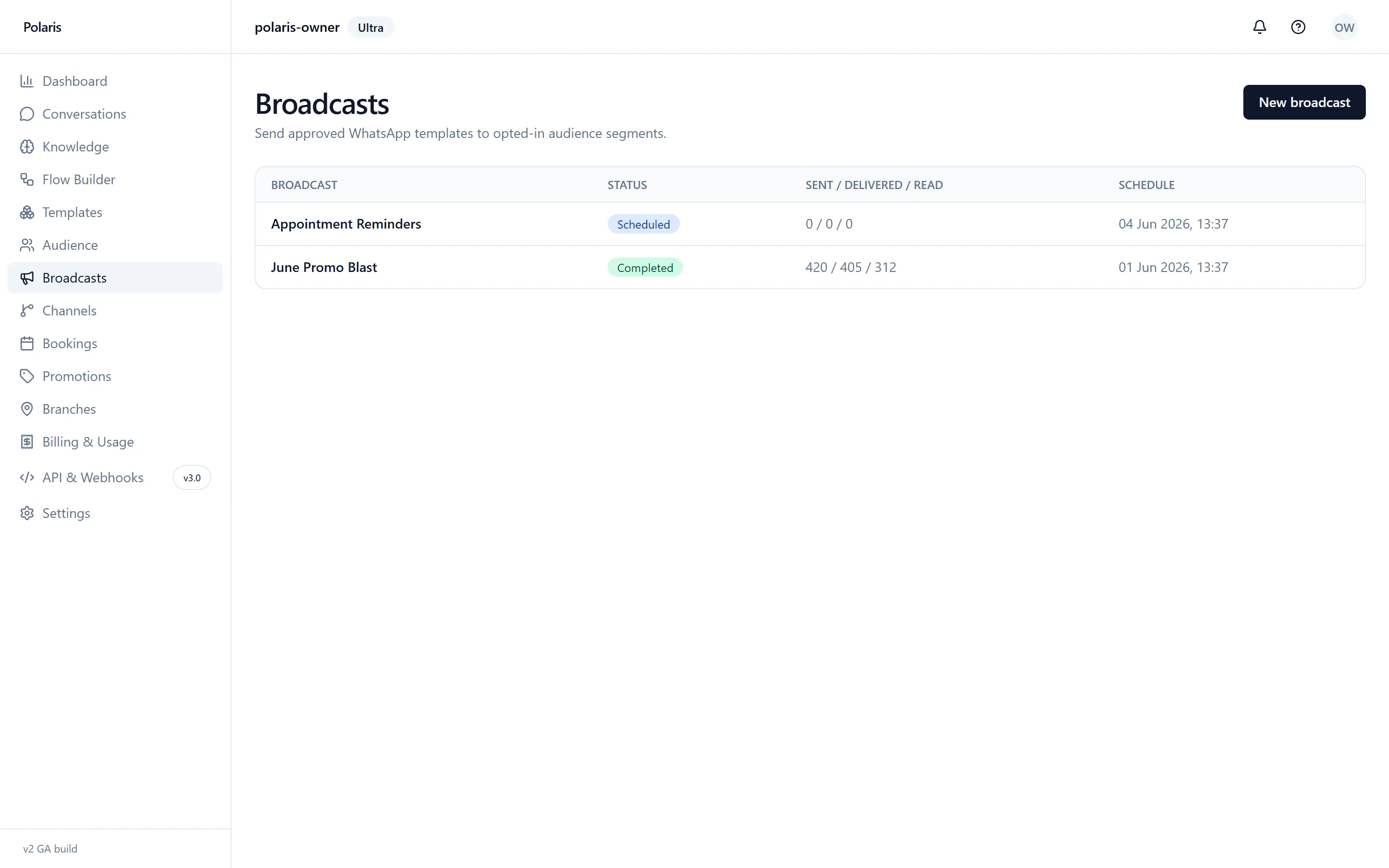
Reach everyone at once on WhatsApp
Send approved template messages to a whole audience, then watch delivery and read rates roll in. Schedule them ahead or send right away.
- Send to a whole audience
- Delivery and read tracking
- Schedule or send now
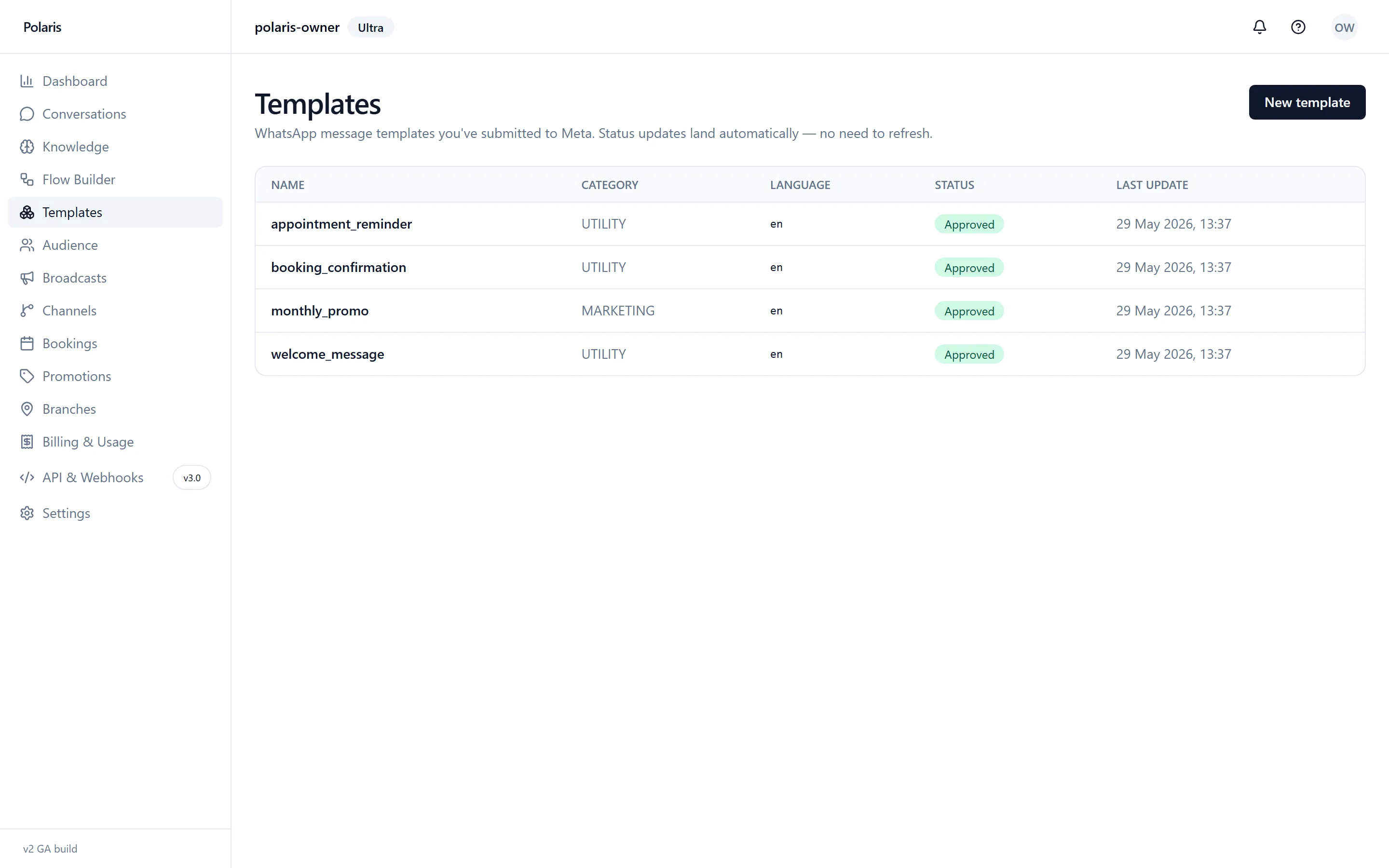
Approved WhatsApp templates, ready to send
Manage your WhatsApp message templates in one place. Status updates from Meta land automatically, so you always know what is approved.
- Submit and track templates
- Live approval status
- Utility and marketing categories
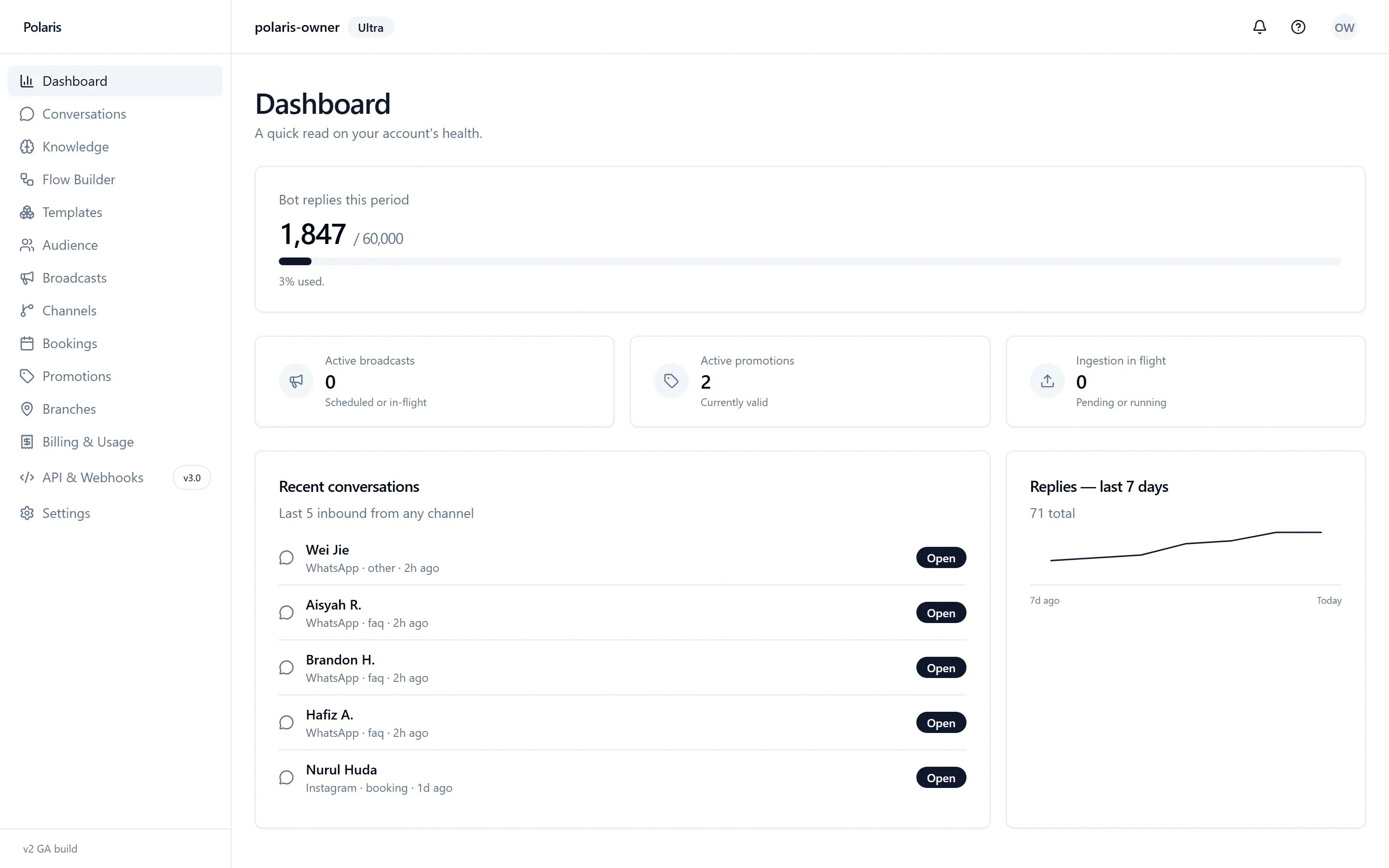
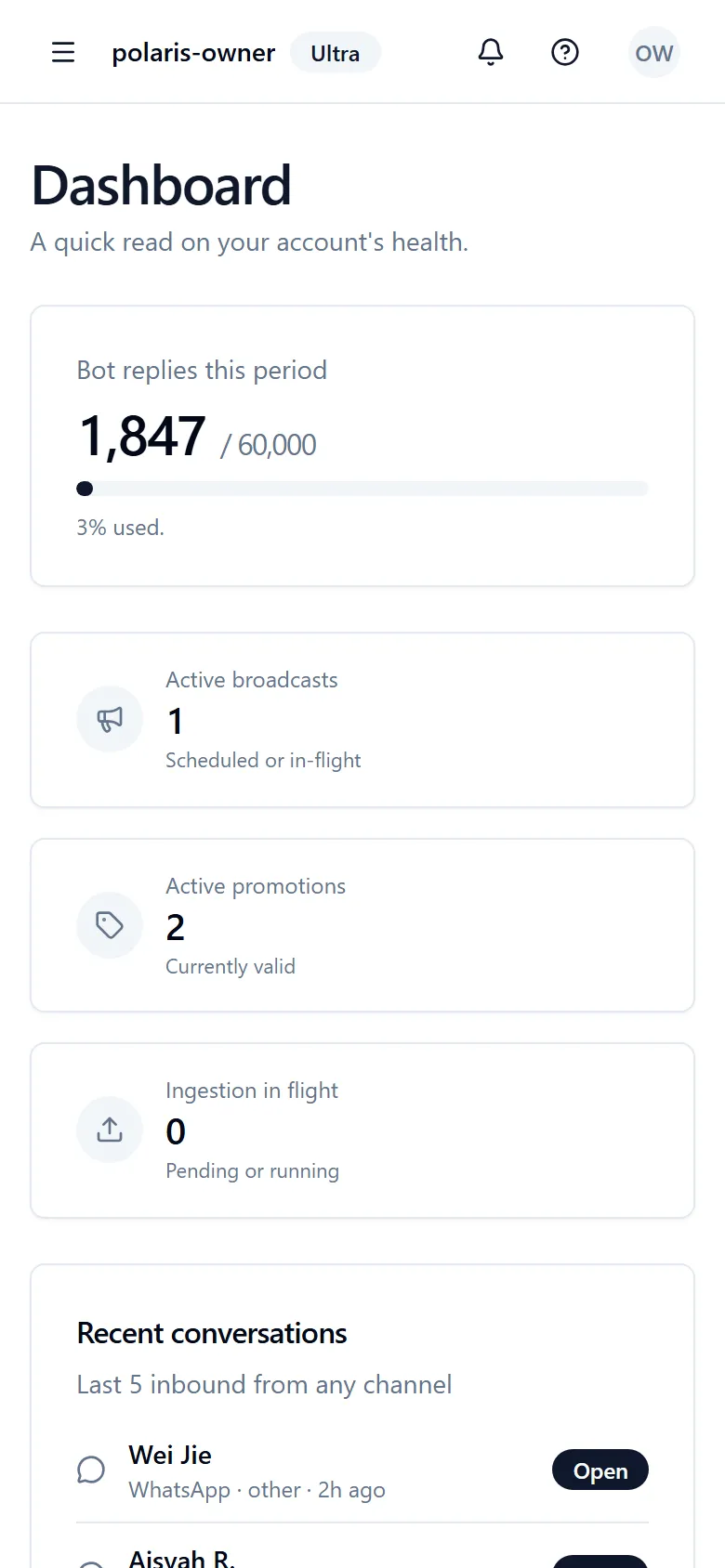
A live read on your account
See bot replies, recent conversations and 7-day trends at a glance, so you always know how much work the AI is taking off your plate.
- Reply volume and usage
- Recent conversations at a glance
- 7-day activity trend
Ready to put this to work?
Get your AI live on WhatsApp, Instagram and Messenger, usually within 24 hours.
Get started